

Computer Vision Solutions in Kolkata and Haldia | HSR
Explore computer vision solutions in Kolkata and Haldia. Learn how AI-powered image recognition, object detection and visual inspection can support businesses.
Read articleLooking for document management software in Kolkata or Haldia? Explore custom digital document systems for file storage, approvals, tracking and business workflows.
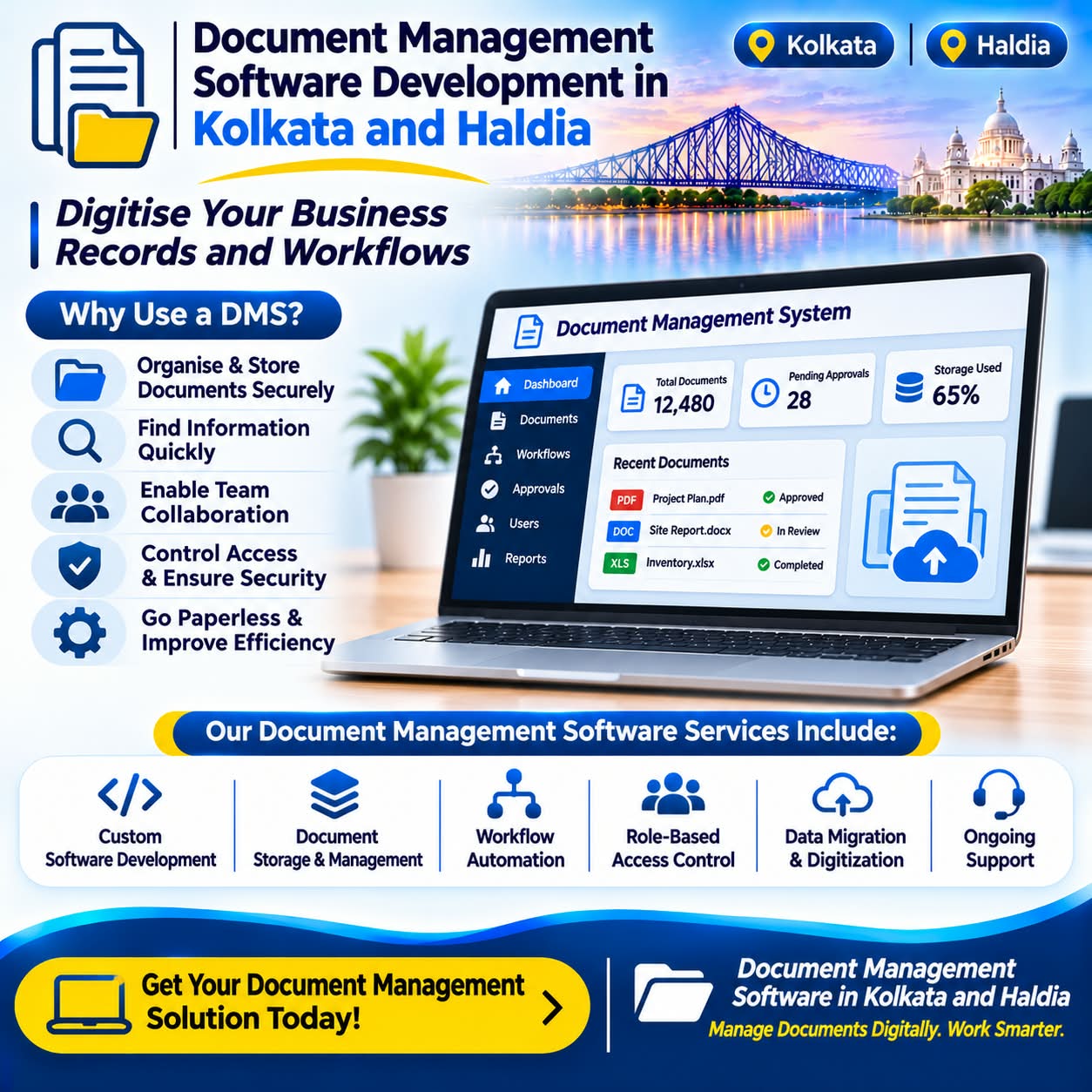
Businesses generate and handle documents every day. From invoices and purchase orders to employee records, contracts, reports and customer files, important information is often spread across computers, email accounts, shared folders and physical storage.
As an organisation grows, managing these documents manually can become difficult. Employees may struggle to locate the latest version of a file, track approval status or identify who has access to confidential information.
For businesses and institutions in Kolkata and Haldia, a digital document management system can provide a more organised way to store, search, share and manage business records.
Instead of depending entirely on paper files and disconnected folders, organisations can use a centralised software platform to manage documents and their associated workflows.
In this guide, we explore how document management software works, its essential features and what businesses should consider before developing a custom solution.
Document Management Software (DMS) is a digital system used to store, organise, retrieve, track and manage electronic documents.
It provides a structured environment where authorised employees can upload files, organise them into categories, search for information and manage document-related activities.
Depending on the organisation's requirements, a document management system may include:
Centralised document storage
Folder and category management
Document search and filtering
File version history
User permissions and access control
Document sharing
Approval workflows
Activity logs
Document expiry reminders
Administrative dashboards
A DMS can be developed for organisations that manage large volumes of documents or require controlled access to business records.
Many organisations still depend on physical registers, printed documents and shared computer folders to maintain important information.
These methods may work for smaller operations, but managing documents becomes increasingly complicated as the number of employees, departments and records grows.
Searching through physical files or multiple computer folders can consume valuable working time.
A document management system can organise records using categories, keywords, document numbers and metadata, making retrieval easier.
Employees may create multiple copies of the same document and save them in different locations.
Without proper version management, teams may accidentally use outdated information.
A DMS with version history can help users identify the latest approved document and review earlier versions when necessary.
Many business processes require approval before a document can be finalised.
For example, purchase requests, expense claims, contracts and internal reports may need approval from multiple people.
A digital workflow can help route documents to the appropriate reviewers and display their current status.
Organisations often handle confidential business information.
Without structured access controls, it can be difficult to manage which employees can view, edit, download or approve particular documents.
A document management system can assign permissions according to user roles and responsibilities.
Paper documents require physical space and organised filing systems. Retrieving older records can also become challenging.
Digitisation can reduce dependence on physical storage for suitable records, although organisations should retain original documents wherever legal, regulatory or operational requirements demand it.
A useful document management platform should be designed around the organisation's document types, users and approval processes.
Here are some important features to consider.
A central repository allows authorised users to access documents from one organised platform.
Files can be arranged by department, project, customer, document type or other business categories.
Employees should be able to upload documents in supported formats and assign relevant information.
Common document types may include:
PDF files
Word documents
Excel spreadsheets
Images and scanned documents
Contracts and agreements
Invoices and purchase orders
Reports and internal forms
The platform should also support file-size limits and validation rules appropriate to the organisation.
Finding a document should not require opening every folder manually.
A search facility can help users locate records using:
Document name
Document number
Category
Department
Upload date
Keywords
Assigned employee
Document status
For organisations with large document collections, full-text search and OCR-based text extraction can also be considered.
Version control helps maintain a history of changes made to important documents.
For example, when an employee updates a contract or project report, the system can retain an earlier version and record information about the new upload.
This makes it easier to identify which version is current and reduces confusion between different copies.
Not every employee needs access to every document.
A DMS can define permissions for administrators, department managers, employees and external collaborators.
Permissions may control whether a user can:
View a document
Upload a new document
Edit document details
Download a file
Share a document
Approve or reject a request
Delete or archive records
Sensitive information should receive additional access restrictions.
Approval management is useful for organisations where documents pass through multiple departments.
A workflow may follow a sequence such as:
An employee uploads a document.
The department manager reviews it.
The authorised approver accepts or rejects it.
The system records the decision.
The document is marked with its updated status.
The workflow can be configured according to the organisation's approval hierarchy.
Certain business documents require periodic renewal or review.
Examples include licences, insurance documents, agreements and compliance-related records.
A document management system can maintain expiry dates and send reminders to responsible employees before important deadlines.
Organisations may need to understand who uploaded, modified, approved or accessed a document.
An activity log can record relevant actions with timestamps and user information.
The exact level of audit detail should be defined according to the organisation's operational and compliance requirements.
Documents may represent important business information.
A reliable document management solution should include a backup strategy, retention rules and a tested recovery process.
Businesses should understand how frequently backups occur, where they are stored and how quickly documents can be restored after an incident.
Document management is relevant to many industries because almost every organisation handles important records.
Schools, colleges and training institutes manage admission forms, student records, certificates, examination documents and administrative files.
A DMS can help organise documents by academic year, department, student or document category.
Healthcare facilities handle administrative records, patient-related documents, reports and internal operational files.
A suitable document system can help manage authorised access and organise records. Any solution handling medical information must be designed with appropriate privacy, security and regulatory requirements in mind.
Manufacturing organisations manage purchase orders, supplier agreements, technical specifications, quality reports and operational documents.
A centralised system can help departments locate approved records and manage document revisions.
Construction businesses often handle drawings, work orders, contracts, approvals, site reports and project documentation.
A DMS can organise documents by project, site, contractor or approval status.
Consultancies, accounting firms, legal offices and other professional service organisations manage client files, reports, agreements and supporting documents.
A structured repository with controlled access can help employees manage these records more efficiently.
Traditional file storage provides a place to keep documents. A document management system adds features for organising, tracking and controlling how those documents are used.
| Functionality | Traditional File Storage | Document Management System |
|---|---|---|
| File organisation | Basic folders | Structured categories and metadata |
| Document search | File-name based | Advanced filters and searchable content, if supported |
| Version history | Often manual | Can maintain version records |
| Access permissions | Basic folder permissions | Role-based document access |
| Approval process | Email or manual follow-up | Configurable approval workflows |
| Activity tracking | Limited | Document activity logs |
| Expiry reminders | Manual calendar entries | Automated reminders, if configured |
| Reporting | Manual | Dashboard and document reports |
The right solution depends on the organisation's document volume, security requirements and workflow complexity.
Businesses can choose an existing document management platform or develop custom software.
A ready-made platform may be suitable when the organisation has standard document storage and sharing requirements.
Custom document management software may be more appropriate when a business needs:
Specialised document categories
Department-specific permissions
Multi-level approval workflows
Integration with existing ERP or CRM systems
Custom dashboards and reports
Document numbering and tracking
Industry-specific workflows
Integration with internal business applications
Before deciding, organisations should compare development costs, subscription fees, storage requirements, maintenance and long-term flexibility.
A document management system may contain confidential business information. Security should therefore be considered from the planning stage.
Important measures include:
Secure authentication: Use appropriate login and account protection mechanisms.
Role-based permissions: Ensure employees only access documents required for their responsibilities.
Encrypted communication: Protect information while it is transmitted between users and the application.
Secure storage: Apply suitable storage permissions and security configurations.
Audit records: Maintain logs of important document-related activities.
Backup strategy: Establish regular backups and test restoration procedures.
Retention policies: Define how long different categories of documents should be stored.
Controlled sharing: Provide secure sharing methods and avoid exposing confidential files through unrestricted public links.
Organisations should also review applicable legal and regulatory requirements before digitising records that must be retained in a specific format.
HSR Hi-Tech Solutions is an MSME-registered and ISO-certified IT company with offices in Kolkata and Haldia, West Bengal.
The company develops websites, mobile applications, custom software, ERP systems and digital solutions for businesses and institutions.
For organisations looking to digitise their document-related processes, HSR can help plan custom software around requirements such as:
Centralised document repositories
Document categorisation and search
Employee and department permissions
File version management
Document approval workflows
Expiry notifications
Administrative dashboards
Integration with existing business systems
The development scope can be planned according to the organisation's document volume, user roles, security needs and existing processes.
Explore HSR's software and technology services:
https://www.hsrsolutions.co.in/our-services
Selecting the right technology partner is important because a document management system may become part of an organisation's everyday operations.
Before starting development, consider these factors.
Understand your document workflows: Identify the types of records your organisation handles and how documents move between departments.
Define user roles: Decide who can upload, view, edit, approve and archive documents.
Check search capabilities: Confirm whether the system supports the search methods required by your employees.
Review security requirements: Discuss authentication, permissions, backups, encryption and audit logs.
Consider integration requirements: Identify whether the system needs to connect with existing ERP, CRM, HR or accounting software.
Plan for future growth: Estimate how document volume and user numbers may increase.
Discuss maintenance: Clarify hosting, software updates, technical support and backup responsibilities.
Document management software is a digital platform used to store, organise, search, track and manage electronic business documents.
Yes. Small businesses can use a DMS to organise invoices, contracts, employee records, customer files and other important documents. The system can be developed according to their size and budget.
Yes. A custom DMS can include multi-level approval workflows for documents such as purchase requests, contracts, reports and internal forms.
Yes. Integration can be developed where the existing ERP provides suitable APIs or other supported integration methods. This can help connect business records with their related documents.
Yes. Educational institutions and healthcare organisations can use document management systems to organise relevant administrative and operational records. Systems handling sensitive information require appropriate access controls and privacy safeguards.
The cost depends on storage requirements, user numbers, search functionality, approval workflows, security features, integrations and hosting infrastructure. A detailed estimate should follow a review of the organisation's requirements.
Yes. Scanned documents and images can be uploaded to a DMS. OCR functionality can also be added to extract searchable text from supported scanned files, depending on document quality and technical requirements.
Managing documents efficiently is an important part of running an organised business. As companies grow, relying entirely on physical files, spreadsheets and disconnected folders can make information retrieval and approval processes more complicated.
A well-planned document management system can help organisations centralise records, improve searchability, control access and manage document-related workflows.
For businesses and institutions in Kolkata and Haldia, custom document management software can provide a practical way to digitise everyday administrative activities while supporting future growth.
HSR Hi-Tech Solutions helps organisations explore custom software and digital platforms designed around their operational requirements.
Looking to build a document management system for your organisation?
Contact HSR Hi-Tech Solutions:
Website: https://www.hsrsolutions.co.in/
Email: info@hsrsolutions.co.in
Phone: +91 9102538091
HSR Hi-Tech Solutions – The Future of Digitalization.
Keep reading
Explore computer vision solutions in Kolkata and Haldia. Learn how AI-powered image recognition, object detection and visual inspection can support businesses.
Read articleExplore custom visitor management software development in Kolkata and Haldia. Digitise visitor registration, gate entries, approvals and visitor records with HSR Hi-Tech Solutions.
Read articleNeed construction management software in Kolkata or Haldia? Explore custom software for project tracking, site operations, contractors, budgets and billing.
Read articleGet a free consultation and a clear, itemised quote with fixed milestones.

.jpg)